
How Keycloak Password Policies Work
 Muhammed Oğuz · Software Engineer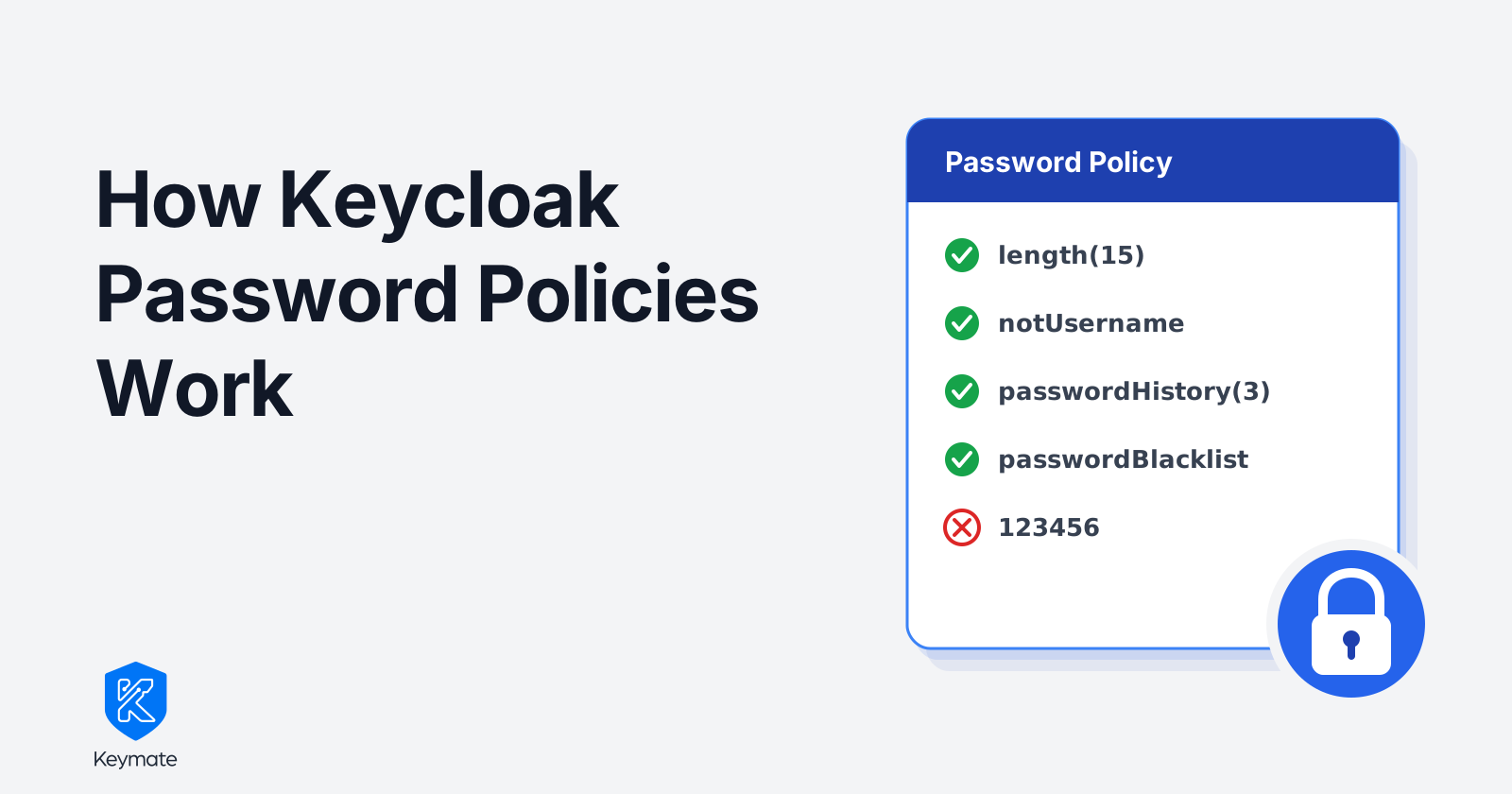
TL;DR
- A Keycloak password policy is a per-realm, server-side chain of rules. The server applies it every time a password is set or changed.
- For Keycloak-managed local users, the policy runs on every password write: self-registration, forgot-password, required actions, the Account Console, and admin resets. Federated stores, imports, and custom providers are separate cases.
- Existing passwords are not re-checked at login. A new policy applies from the next password change, unless you add an expiration rule.
- Favor length, a blocklist, and history over heavy composition rules. That matches NIST SP 800-63B-4 guidance and frustrates users less.
The one-minute audit
There is a check you can run on any Keycloak deployment in under a minute. Open the Admin Console, pick a realm, and go to Authentication → Policies → Password Policy. If the list is empty, that realm will happily store 1 as a password.
The signup form shows a strength meter and a list of rules. Those rules usually live in frontend code, inside one specific client. Keycloak has never heard of them.
An IAM server has more than one door for passwords. Users register through your app, but passwords also arrive through the forgot-password flow, the Account Console, the Admin Console, and the Admin REST API. A frontend regex covers exactly one of those doors. A password rule that only exists in a form is a suggestion, not a policy.
What a password policy is in Keycloak
A password policy in Keycloak is a realm-level setting: an ordered list of rules, each provided by a small server-side validator. If the server itself is new to you, start with a developer's introduction to Keycloak. Keycloak stores the whole thing as a single string on the realm, for example:
length(15) and notUsername and passwordHistory(3)
You compose it in the Admin Console under Authentication → Policies, adding one rule at a time from a dropdown. The rules worth knowing:
| Policy | What it does |
|---|---|
length / maxLength |
Minimum and maximum password length |
digits, upperCase, lowerCase, specialChars |
Require N characters of that class |
notUsername / notEmail |
Reject passwords equal to the username or email |
passwordHistory |
Reject any of the user's last N passwords |
passwordBlacklist |
Reject passwords found in a blocklist file you provide |
forceExpiredPasswordChange |
Force a password change after N days |
regexPattern |
Require a match against a custom regular expression |
hashAlgorithm / hashIterations |
Control how passwords are hashed at rest |
The policy also owns storage: hashAlgorithm and hashIterations decide how the credential is hashed, not just what it looks like. Since Keycloak 25, Argon2 is the default password-hashing algorithm in non-FIPS deployments.
Where Keycloak enforces it (and where it does not)
Enforcement happens at write time, for passwords that Keycloak stores itself. Whenever a local-user password credential is about to be saved, Keycloak runs the candidate through every rule in the chain. That covers self-registration, the update-password required action, the forgot-password flow, the Account Console, and admin resets. If any rule fails, the write is rejected and the user sees which rule failed. Admins get no exemption.
The policy governs only the credentials Keycloak owns, so three paths sit outside it. With user federation, an external store like LDAP holds the password, and the realm policy applies only when Keycloak performs the write. With imports and migrations, passwords loaded as already-hashed values are stored verbatim and never see the policy. A custom credential provider stores passwords on its own terms. Treat the policy as authoritative for Keycloak-managed local users, and verify the paths you depend on.
The policy never re-checks existing passwords at login. Tighten the policy today and every stored password stays valid until its owner changes it. Two related behaviors are worth knowing: forceExpiredPasswordChange expires passwords by age, and a changed hashing configuration is applied by re-hashing each password at the user's next successful login.
Setting the baseline from the CLI is one command:
kcadm.sh update realms/myrealm \
  -s 'passwordPolicy="length(15) and maxLength(128) and notUsername and notEmail and passwordHistory(3) and passwordBlacklist(blocklist.txt)"'
The blocklist file is a plain text file, one password per line, placed in data/password-blacklists/ on the server. Bake it into the image rather than patching running containers; hardening the Keycloak container image covers that build.
The composition-rules trap
The tempting first move is to stack everything: uppercase, lowercase, digit, special character, plus rotation every 90 days. Users respond with Summer2024!. Rotation turns it into Summer2025!, and the helpdesk absorbs the reset tickets. Strict on paper, guessable in practice.
NIST reached the same conclusion in SP 800-63B-4: favor length, screen against known-breached passwords, and drop both composition rules and scheduled rotation. The minimum depends on context. Use 15 characters when the password stands alone. Eight is the floor, and only when the password is one factor inside MFA. Allow at least 64 so passphrases fit. A 15-character minimum with a blocklist stops the passwords attackers actually try, without training users to mutate one weak password.
A shorter minimum can be a valid risk decision, but do not call it NIST-aligned.
The trade-off worth keeping is passwordHistory with a small value. It costs users little and prevents silent flip-flopping between two passwords.
Enforce password rules where the credential lives
Keycloak password policies are one case of a general rule: validation that protects stored data belongs to the system that stores it. The frontend can and should duplicate the rules for instant feedback, but the authoritative check has to sit next to the credential store, where every write path converges. Keycloak's policy chain is exactly that, and through the PasswordPolicyProvider SPI it is open for rules of your own.
Run the one-minute audit on your realms. An empty Keycloak password policy list is a finding, and now you know what to put in it.
Access control on top of Keycloak
Keymate builds on Keycloak and adds governed access control: every access policy change is approved, versioned and reversible, and every decision leaves evidence. See it working in your stack.
Stay updated with our latest insights and product updates