
Common Keycloak Security Mistakes (and How to Avoid Them)
 Muhammed Oğuz · Software Engineer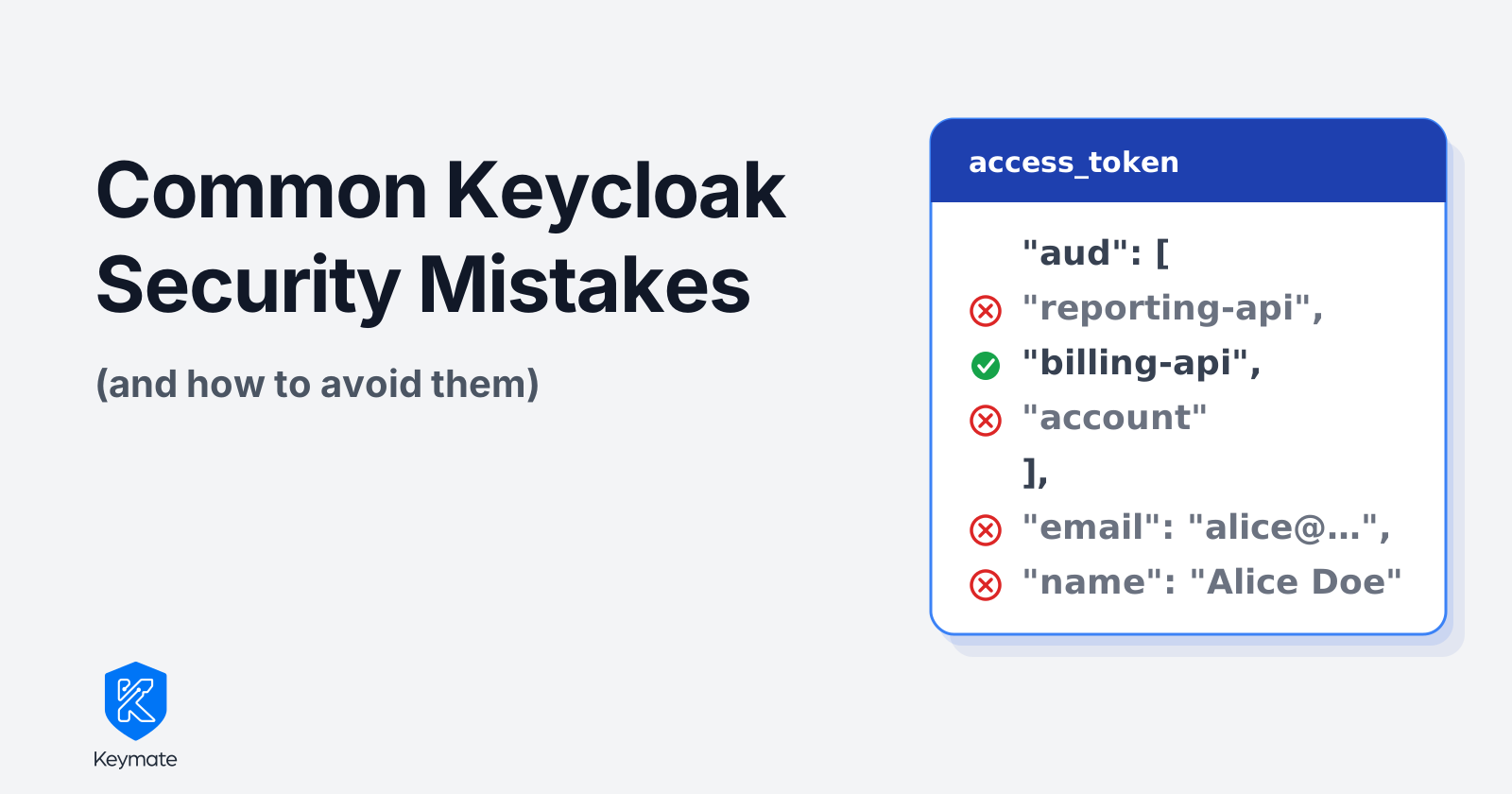
TL;DR
- Most Keycloak security mistakes come from defaults. They make the first login easy, and nobody goes back to them.
- On a fresh realm, the access token carries the user's email and full profile, every role they hold, and an audience that names every client they have a role on.
- Checking
audis necessary, and it is not enough. Full Scope Allowed is the client setting that puts every role the user holds into the token. With it on, one token is addressed to all of your backend clients. Keycloak 26.8 now deprecates that switch and warns about it in the server log. - Each fix is small. Narrow the token, check its audience, exchange it instead of forwarding it, turn on the defenses that ship switched off, and keep secrets out of the realm export you commit.
- On my test realm, turning Full Scope Allowed off and mapping one role in its place cut the token's audience from three clients to one.
One login, three audiences
I started Keycloak 26.8 in a container and created a realm with three clients, web-app, billing-api and reporting-api, plus one user called Alice. Alice has one client role on billing-api and one on reporting-api. I did not change a single security setting. Then I logged in through web-app and decoded the access token.
{
  "aud": ["reporting-api", "billing-api", "account"],
  "azp": "web-app",
  "realm_access": { "roles": ["offline_access", "default-roles-demo", "uma_authorization"] },
  "resource_access": {
    "reporting-api": { "roles": ["report-viewer"] },
    "billing-api": { "roles": ["invoice-reader"] },
    "account": { "roles": ["manage-account", "manage-account-links", "view-profile"] }
  },
  "email": "alice@example.com",
  "name": "Alice Doe",
  "preferred_username": "alice",
  "given_name": "Alice",
  "family_name": "Doe"
}
Keycloak issued this token to a web frontend. It names both backend clients as its audience, carries Alice's roles for both, and includes her email and name. Either of them can log it or replay it against the other.
The standard advice is to validate the audience, and I expected that to settle it. It doesn't. billing-api and reporting-api would both accept this token, because both appear in aud. The check works fine. The audience is what's wrong.
Four of the eight mistakes below show up in that one token. They are Mistakes 3 to 6, so skip ahead if the token is why you are here. Mistakes 1 and 2 cover the admin account and redirect URIs, which decide who gets a token in the first place. Mistakes 7 and 8 cover the defenses that start switched off and the realm export you keep in Git. I checked every default and every fix in this post on that same 26.8 instance. If realms, clients and scopes are new to you, start with a developer's introduction to Keycloak.
| Mistake | What usually goes wrong | The fix |
|---|---|---|
| 1. Bootstrap admin | The startup admin stays in use, often with a tutorial password | Named admins with MFA, bootstrap account deleted, Admin Console on an internal hostname |
| 2. Wildcard redirect URIs | https://app.example.com/* accepts any path on the host |
Exact callback URIs, password and implicit grants off |
| 3. Personal data in the access token | email and profile mappers write to the access token |
Add to access token and Add to token introspection off on those mappers |
| 4. Full Scope Allowed | On for every client, so every role the user holds goes into the token, and every client with one of those roles into aud |
Off, with only the roles each client needs mapped in |
| 5. No audience check | Most token libraries skip aud unless told what to expect |
Expected audience set in every backend client |
| 6. Forwarding the user's token | The same token goes downstream, often with a long lifespan | Short lifespan, single-use refresh tokens, standard token exchange |
| 7. Brute force detection and events | Both off | Temporary lockout, user and admin events on and shipped to your logs, proxy rate limiting |
| 8. Secrets in the realm export | kc.sh export writes secrets in clear text, and a missing ${VAR} stays literal |
Placeholders checked before import, committed secrets rotated |
The token half of this list owes a lot to Niko Köbler. At KeycloakCon Europe in Amsterdam this March, he gave a talk called The Keycloak-Token-Configuration Mistake, 90% of All Developers Do (and How To Avoid It). He walked through the personal data, Full Scope Allowed, audience and token exchange settings live. The CNCF channel has the recording. Mistakes 3 to 6 follow his line of argument. The test realm, the outputs and the other four mistakes are mine.
Mistake 1: Treating the bootstrap admin as the admin
Keycloak has no built-in default account. Since version 26, you create the first admin at startup with KC_BOOTSTRAP_ADMIN_USERNAME and KC_BOOTSTRAP_ADMIN_PASSWORD. In plenty of deployments those values come straight from a tutorial, and nobody ever replaces the account. Keycloak does flag it. The user gets an is_temporary_admin attribute and the Admin Console shows a warning. Nothing forces the switch, though.
That matters because the master realm administers every other realm. One shared, weak account without MFA controls every user and every signing key you have. It is often reachable from the internet too, since the Admin Console runs on the same hostname as the login pages.
To fix it:
- Create named admin accounts in the master realm, one per person, and delete the bootstrap account.
- Require OTP or a passkey for master realm logins.
- Serve the Admin Console on a separate internal hostname with the
hostname-adminoption, and block/adminon the public proxy. - Check who holds
realm-adminin each realm. Service accounts rarely need it. Give each one the narrow role it uses, such asmanage-users.
Mistake 2: Wildcard redirect URIs
Many clients list https://app.example.com/* as the valid redirect URI, because it is faster than listing every callback.
The wildcard accepts any path on that host. On my test realm, Keycloak took https://app.example.com/marketing/redirect?to=https://evil.example without complaint. If any page on that host forwards to a URL from a query parameter, an attacker can send the authorization code to a server they control. Marketing and tracking pages often have exactly that kind of forwarder, and nobody reviews them with OAuth in mind.
That is the risk when the wildcard matcher works as designed. Twice this year it didn't. CVE-2026-7504, fixed in Keycloak 26.6.2, let a redirect URI with several @ characters in its user-info part slip past the check and fall through to the wildcard comparison. CVE-2026-3872 let anyone who controlled another path on the same host get past the allowed path. Both advisories carry the same mitigation from Red Hat, which is to stop using wildcards in Valid Redirect URIs. The wildcard matcher is extra parsing code sitting in front of your login, and every bug in it is an open redirect. Neither CVE touched clients with exact URIs.
List exact callback URIs instead, such as https://app.example.com/auth/callback. Keycloak accepts as many as you need. While you have the client open, check its capability config. Direct access grants, which is the password grant, and Implicit flow should both be off unless someone wrote down why they need them. RFC 9700, the current OAuth security best practice from January 2025, says the password grant MUST NOT be used and clients SHOULD NOT use the implicit grant. Keycloak keeps both switches for old clients that still depend on them. That is the only reason they exist.
Mistake 3: Personal data in the access token
Every new realm has email and profile as default client scopes. Their mappers write claims into the ID token, the UserInfo response and the access token. On my realm, 16 mappers across those two scopes had Add to access token on. The phone and address scopes are optional, so their claims appear only when a client asks for them.
Backend clients are the audience for the access token. A backend client needs to know who is calling and what they may do. It has no use for Alice's email address. Every service that receives the token can still read it, and any gateway that logs the Authorization header keeps a copy. GDPR's data minimization rule covers those copies as well. OpenID Connect already gives identity data two homes. The ID token goes to the client that logged the user in, and the UserInfo endpoint serves anyone who needs more.
Making profile an optional scope looks like a fix, and it isn't. Most login clients request it anyway. The ones that don't lose those claims from the ID token as well. The real fix is in Client scopes. Open email and profile, and turn Add to access token and Add to token introspection off on each mapper. Skip the second switch and a backend client that introspects the token still gets the claims back. Leave Add to ID token and Add to userinfo on. After that change my access token had no name or email, and the ID token and UserInfo still returned the full profile.
This one can break things. Some backend clients read email or preferred_username from the access token for logging or display. Find them before you flip the switch, then point them at UserInfo. Keeping preferred_username alone and dropping the rest is a reasonable middle ground.
Mistake 4: Leaving Full Scope Allowed on
Full scope allowed is on by default for every client. You find it on the Client scopes → Dedicated scope → Scope tab. With it on, the client's tokens include every realm role and client role the user holds.
This is the setting behind the token at the top of the post. The roles client scope contains an audience resolve mapper, which adds every client whose roles appear in the token to aud. More roles in the token means more clients in the audience. Large realms make it worse. Users federated from big LDAP or Active Directory trees can carry hundreds of roles, and their tokens can outgrow a proxy's header size limit.
The Keycloak team has reached the same conclusion. Keycloak 26.8.0 deprecates the switch and plans to remove it. The upgrading guide calls the default "a security risk in production". The server now writes a line like this every time it issues a token for a client that still has the switch on.
WARN [org.keycloak.protocol.oidc.endpoints.TokenEndpoint.full-scope-allowed]
Client 'billing-api' in the realm 'demo' has 'Full scope allowed' switch enabled.
This client switch is deprecated and will be removed in the future.
It showed up in my test realm's log the first time a client with the default asked for a token. The built-in admin clients are exempt for now. Everything else you created with the default will warn, and one day the switch will be gone and those clients will need role mappings to keep working.
Turn Full scope allowed off on every client that requests tokens. Then use Assign role on the same tab to add only the roles that client needs. On my realm, mapping just billing-api's invoice-reader role to web-app produced this token:
{
  "aud": "billing-api",
  "azp": "web-app",
  "resource_access": { "billing-api": { "roles": ["invoice-reader"] } }
}
One audience and one role. The account audience is gone as well, so an app that calls the Account REST API with this token needs that role mapped back in.
A backend client with no client roles gives the audience resolve mapper nothing to work with, and its name never reaches aud. You have to add it yourself.
- Create a client scope with an Audience mapper.
- Set Included Client Audience to the backend client and turn Add to access token on.
- Assign the scope to every client that calls the backend client.
Do this before you turn on audience checks in Mistake 5. Otherwise every request fails with a 401, and someone reverts the fix by Friday.
Mistake 5: Backend clients that do not check the audience
A lot of backend clients verify the signature, the issuer and the expiry, then stop. The developers trust their OAuth library to handle the rest, and most libraries skip the audience unless you tell them what to expect. The backend client never checks whether the token was meant for it.
Mistake 4 narrows what Keycloak issues, and the audience check is what makes the backend client refuse the rest. Without it, the backend client accepts any valid token from the realm. That includes a token issued to a different client, or one that a compromised service collected from its callers. RFC 9700 puts it in two sentences. Access tokens SHOULD be audience-restricted to a specific resource server, and if a token was not issued for the resource server that receives it, that server MUST refuse the request.
This fix lives in your code, not in Keycloak. Keycloak's part is Mistake 4, a narrow aud with an Audience mapper for every backend client that needs one. The backend client's part is one option in its token library. Here it is with jose in Node.js.
import { createRemoteJWKSet, jwtVerify } from 'jose';

const issuer = 'https://keycloak.example.com/realms/demo';
const jwks = createRemoteJWKSet(new URL(`${issuer}/protocol/openid-connect/certs`));

export async function verifyAccessToken(token) {
  const { payload } = await jwtVerify(token, jwks, {
    issuer,
    audience: 'billing-api',
  });
  return payload;
}
Load the keys from the JWKS endpoint instead of pinning them, so a key rotation in Keycloak doesn't take the backend down. On the JVM, Spring Boot uses spring.security.oauth2.resourceserver.jwt.audiences and Quarkus uses quarkus.oidc.token.audience. Quarkus skips the access token audience check unless you set that property. Keycloak 25 removed the old Java adapters and the keycloak.json file that configured them, so ignore any guide that still points there.
Do the check in the backend client itself, even when a gateway in front of it already does. The gateway protects one path. The same service also gets called from inside the cluster, from a batch job or from a laptop with port-forward.
Then test it with a token that has no aud claim at all, not only with one for the wrong client. A check that runs only when there is an audience to compare lets exactly those tokens through.
Mistake 6: Forwarding the user's token downstream
Say billing-api needs data from reporting-api on Alice's behalf. The quick route is to forward the access token it already has. Teams that go this route often raise the access token lifespan from five minutes to several hours as well, because users complained about being logged out.
Forwarding only works if the token's audience already covers both backend clients, and that wide audience is exactly what Mistake 4 removes. A forwarded token also lives on in every service that received it. Keycloak can revoke an access token through its revocation endpoint, but only services that ask Keycloak through introspection notice. Logging the user out ends their session and does not revoke the access tokens already issued. A backend client that validates the JWT offline by its signature, as most do, accepts it until it expires. Five minutes of exposure is survivable. Eight hours gives an attacker a full working day.
Keep the access token lifespan short and let refresh tokens keep users signed in. Turn on Revoke Refresh Token under Realm settings → Tokens, which is off by default, so each refresh token works only once.
For calls between services, use token exchange as defined in RFC 8693. Keycloak 26.2 and later support standard token exchange without a feature flag. Here is the setup for billing-api calling reporting-api on Alice's behalf, in the order that worked on my realm.
- Make
billing-apia confidential client and turn on Standard token exchange in its capability config. - Make sure
billing-apiis in the audience of the token it receives. With Full Scope Allowed off onweb-app, map onebilling-apirole toweb-appas in Mistake 4. Without this, Keycloak answersClient is not within the token audience. - On
billing-api's own Scope tab, map thereporting-apiroles the downstream call needs. Keycloak checks the requested audience against the calling client's scope, not against the token you exchange. The new token carries only roles for that audience. Ifreporting-apihas no client roles, add an Audience mapper for it tobilling-apiinstead. Without this step, Keycloak answersRequested audience not available. - Exchange the token.
curl -X POST https://keycloak.example.com/realms/demo/protocol/openid-connect/token \
  -u "billing-api:${BILLING_API_SECRET}" \
  -d "grant_type=urn:ietf:params:oauth:grant-type:token-exchange" \
  -d "subject_token=${USER_ACCESS_TOKEN}" \
  -d "subject_token_type=urn:ietf:params:oauth:token-type:access_token" \
  -d "audience=reporting-api"
The token I got back had aud: reporting-api, azp: billing-api and the reporting-api role, with nothing left of billing-api. No email, no name, no refresh token, and a five minute expiry.
The original token stays valid after the exchange. I introspected it and got active: true, which is one more argument for the short lifespan.
DPoP fits here, with one limit. billing-api can send a DPoP proof with the exchange request, and Keycloak binds the new token to its key. A token already bound to web-app's key can only be exchanged by web-app, so do not bind the user's token if another client has to exchange it. DPoP in practice covers the mechanics.
One more thing the exchanged token lacks. RFC 8693 defines an act claim so a downstream service can see that billing-api is acting for Alice. Keycloak's standard exchange does not add it. azp tells you which client asked, and nothing in the token records that an exchange happened. If your audit trail needs that, log it on the service that performs the exchange.
Mistake 7: Brute force detection and events left off
A new realm starts with Brute force detection off. User events, the Save events switch, are off too, and so are admin events.
With detection off, nothing slows down password guessing. With events off, you have no record of who logged in or when, and that is the first thing anyone asks during an incident. SOC 2 and ISO 27001 auditors will ask for that record too.
Here is what to change:
- Under Realm settings → Security defenses → Brute force detection, pick Lockout temporarily. A permanent lockout lets anyone who knows a username disable that account. A password policy that rejects common passwords covers the guesses that stay under the limit.
- Under Realm settings → Events, turn on user and admin events and set an expiration that matches your retention policy.
- Send events somewhere people look. The default
jboss-logginglistener writes failed events to the server log at WARN. Successful logins go out at DEBUG, which the server log drops by default, so start Keycloak with--spi-events-listener--jboss-logging--success-level=infoif your log pipeline should see them too. Events that only live in the Keycloak database go unread. - Add rate limiting at the reverse proxy. Keycloak counts failures per user account, so spreading guesses for one account across many IP addresses still triggers the lockout. The flip side is that it misses an attacker who tries one common password against thousands of accounts. The proxy can catch that.
Turning events on is the easy half. Keeping them readable is the work. We run a custom event listener that ships Keycloak events to an audit store. At one point, synthetic records from a verification probe made up roughly 99 percent of what we stored. Nobody could find a real login in there. We now audit rejections only for that endpoint and dropped the per-request success event. We also stopped writing national identity numbers into audit records, masked or not, after finding the same field held masked values from one source and clear values from another. Decide what an event is for before you emit it.
Mistake 8: Secrets in the realm export
Sooner or later someone exports the realm to JSON, commits it to Git, and starts the container with --import-realm. That is a good habit. The Admin Console's partial export masks client secrets with asterisks, but the kc.sh export command writes them in clear text. So does anyone who hand-edits a client into the file. Once a secret is in a commit, it is in every clone and every CI runner that ever checked out that branch.
The usual fix is a placeholder. Keycloak replaces ${SVC_SECRET} with the environment variable of that name during import. What it does when the variable is missing is the part I had not seen written down anywhere, so I tested it. I imported a realm into a fresh 26.8.0 container with two confidential clients, one whose variable was set and one whose variable I left out.
svc-resolved  secret: resolved-secret-value-123
svc-missing   secret: ${SVC_MISSING_SECRET}

POST /realms/import-test/protocol/openid-connect/token
  client_id=svc-missing  client_secret=${SVC_MISSING_SECRET}  grant_type=client_credentials
200 access_token issued
Keycloak kept the literal placeholder as the secret, issued tokens for it, and logged Import finished successfully with no warning. Anyone who can read your repository can read that secret, because it is the variable name. We hit this while externalizing credentials in our own Keycloak image, and the realm file now goes through a script before the entrypoint runs. It rejects any credentials array and any secret, clientSecret or password value that is not exactly a ${VAR} reference with a value set in the environment. The import fails closed instead of starting with a guessable secret.
Treat a credential that was ever committed as exposed, and rotate it. Removing it from the file does not remove it from the history.
Stop repeating Keycloak security mistakes: make the secure setting the default
Most fixes above are switches in the Admin Console, and switches drift. A client someone creates next quarter starts with Full Scope Allowed on and whatever redirect URI the developer typed in. Fixing eight settings once doesn't keep them fixed.
Keycloak's answer is client policies. A client profile runs its rules when someone creates or updates a client, and some executors also check every login request. The executors on my 26.8 instance included full-scope-disabled, secure-redirect-uris-enforcer, reject-ropc-grant and pkce-enforcer. I attached the first two to a policy covering every client, then tried to create clients the old way through the Admin REST API.
POST /admin/realms/demo/clients  {"fullScopeAllowed": true, ...}
400 Not permitted to enable fullScopeAllowed

POST /admin/realms/demo/clients  {"redirectUris": ["https://new.example.com/*"], ...}
400 Invalid Redirect Uri: invalid uri
The Admin Console calls the same API, so it gets the same answer. One setting on the full-scope-disabled executor deserves a look. Its Auto-configure option is on by default, and in that mode Keycloak silently sets Full Scope Allowed to off on every client it saves, whatever the caller sent. I turned it off to get the 400 above. A request that fails tells the developer something is wrong with their setup. A request that quietly succeeds with different values teaches them nothing, and the next realm they build will have the same defaults.
Two more things the policy does not do. It does not touch an existing client until someone saves it, so web-app kept its wildcard redirect URI until I edited that client by hand. And it lives in the realm, so a new realm starts without it. Export the realm configuration to Git on top of that, with the placeholders from Mistake 8, and review changes like code. Then a risky setting has to get past a reviewer before it ships.
Client policies stop new drift. They do not find the drift you already have. For that, run kcwarden against a realm export. It is an open source auditor from iteratec, built on the same RFC 9700 this post leans on. On the fresh realm from the top of the post, version 0.18.1 reported 36 findings, 20 of them on my three clients and the realm itself. It flagged Full Scope Allowed on all three clients, the wildcard on web-app, brute force detection off and Revoke Refresh Token off. It also caught things this post skips. The one I would look at first is offline access. Every client gets offline_access as an optional scope, and Offline Session Max Limited is off by default. An offline token for Alice renews for as long as someone keeps using it. --fail-on-findings turns the same run into a CI gate on the export you keep in Git. Write a --config allowlist first, or the job is red from day one. The other 16 findings sat on Keycloak's built-in clients such as account and admin-cli.
The tool has two limits. It rates Full Scope Allowed as Info, lower than Keycloak's own WARN, so do not sort by severity and stop there. And it has no built-in check for token contents, events or secrets, so it covers about half of this list.
None of this is unique to Keycloak. Identity providers tune their defaults for the first login. By the time you run the hundredth service on them, you have to write the secure configuration down and enforce it, or it slides back to the defaults.
Of the eight Keycloak security mistakes in this post, the audience and forwarding mistakes rest on one client setting, Full Scope Allowed. If you do one thing after reading this, decode an access token from one of your own clients and read its aud claim. If it names more than one backend client, start with Mistake 4.
Running Keycloak in production?
Keymate adds policy governance, enforcement and audit evidence on top of Keycloak, so settings like these become rules you can version, review and prove.
Stay updated with our latest insights and product updates